The smallest useful AI automation may be a checklist you create once and reuse manually. You do not need to connect accounts, build an agent, or let a model perform actions to benefit from a better description of a repeated task.
Claude can help organize scattered notes into a draft checklist. The useful work is then to verify the sequence, define completion, and remove instructions that rely on hidden knowledge. Once approved, the checklist can work without another model call.
This guide explains that process using a illustrative course-handout preparation task. It is a workflow proposal, not a report of an installed automation or a measured efficiency gain.
The Source Problem a Checklist Can Preserve
When I asked Haiku to turn our education company’s internal notes into a three-day onboarding guide, the draft included a refund policy we had already retired. Its organization looked useful; its source selection was wrong for current work.
That experience matters here because a checklist can make an outdated instruction easier to repeat. Before transforming notes, identify which instructions are current, which are historical, and which still need a decision. An old instruction should not become a permanent checkbox merely because it is clearly written.
The course-handout example below is illustrative. Its practical purpose is to make each step traceable and each unresolved decision visible. After drafting, check the process against current practice with the person responsible for it. Keep the approved checklist; keep obsolete notes outside the material used to regenerate it.
Choose a Task That Actually Repeats
Start with a process you have performed more than once and expect to perform again. Packing for a recurring activity, preparing a standard handout, or checking a routine internal update can be suitable candidates.
A one-time problem may need a task list rather than a reusable checklist. A process that changes substantially each time may need a decision guide instead of a fixed sequence.
Look for repeated questions: Where is the approved template? What must be checked before sharing? Who confirms the final version? Those are signs that knowledge needs to become explicit.
In education-company work, I would begin with preparation tasks whose boundaries are easy to describe. A checklist should reduce reliance on memory while preserving the need for judgment where the material changes.
Collect the Notes Before Asking for a Checklist
Bring together the existing reminders, informal instructions, and common omissions. Do not ask Claude to infer your organization’s actual process from the task name.
Here is an illustrative note set:
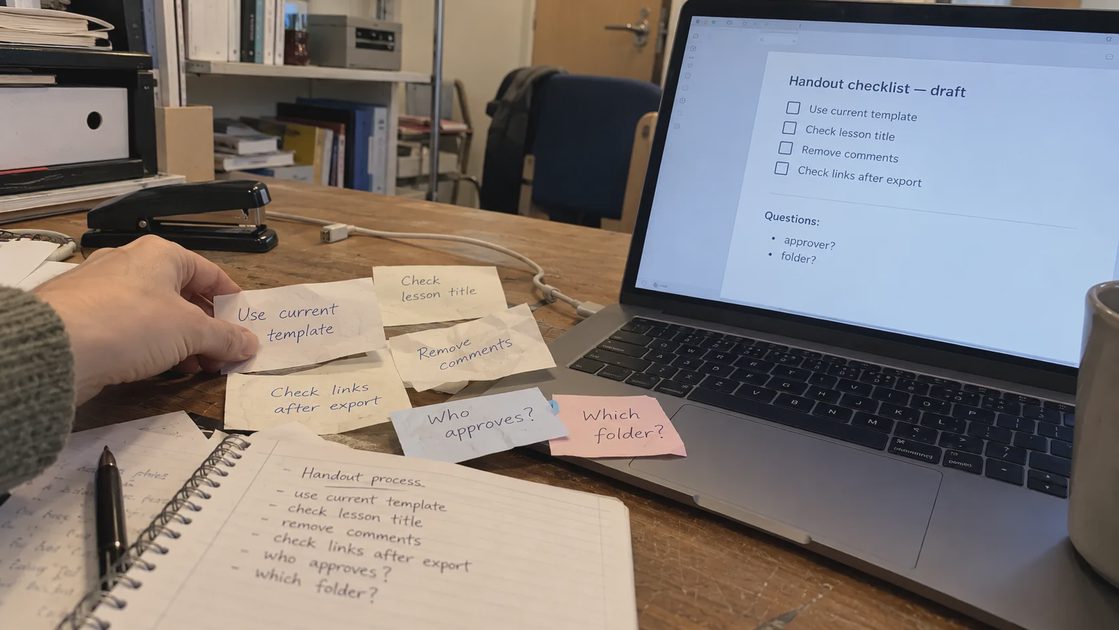
Use the current handout template. Confirm the lesson title with the approved outline. Remove internal comments. Check links in the exported file. Someone should approve the final version. Save it in the shared folder, but we need to confirm which folder. Do not send a draft by mistake.
These notes include actionable steps and unresolved details. The model should not invent an approver, folder, or organizational rule to make the checklist appear finished.
Keep the source material intact until the checklist is verified. It allows you to trace each draft step back to the information supplied.
Ask for Actions, Conditions, and Questions
A strong checklist distinguishes work to perform from information needed before the process can run.
Turn these process notes into a draft reusable checklist.

For each step, include:
- An action starting with a clear verb
- A condition showing when the step is complete
- Any dependency explicitly stated in the notes

Separate unresolved process questions from checklist steps.
Do not invent owners, tools, storage locations, or approval rules.
Identify ambiguous instructions that require a human decision.

Notes:
[Paste non-sensitive process notes.]
The output should make uncertainty visible. “Save in the correct folder” is not complete enough for reuse when the folder is unknown. “Confirm the destination folder” may be a temporary setup task, but it should not remain a permanent mystery.
Ask for concise wording. A checklist is supposed to support action, not become an essay someone must reread every time.
Define What “Done” Means
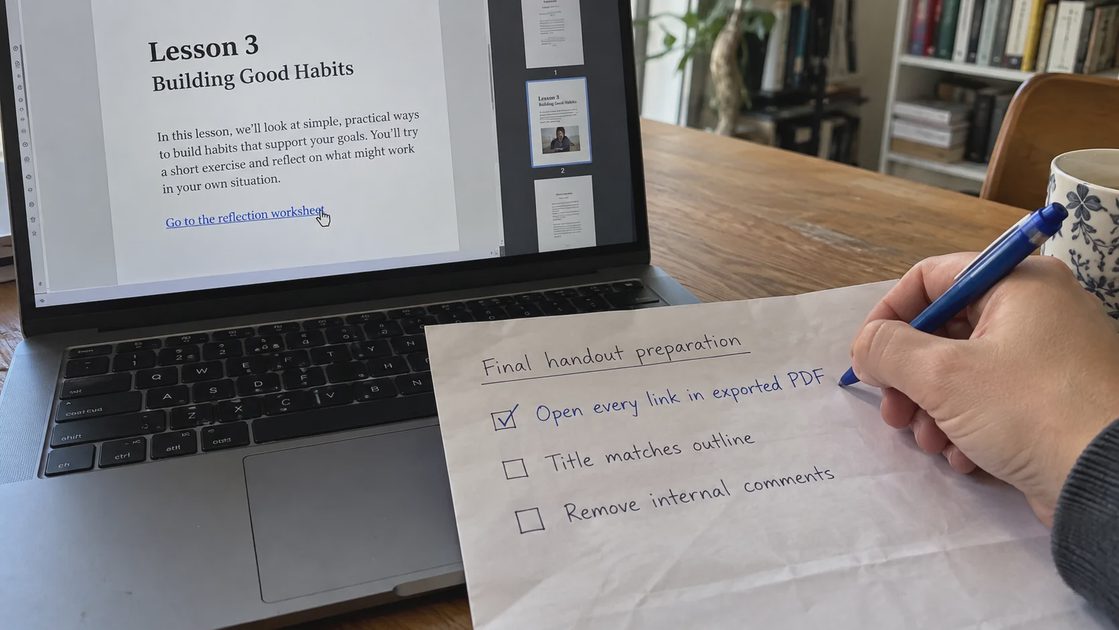
An action such as “check links” needs an observable completion condition. In this example, the person should open the links in the final exported file, not merely inspect the source document’s formatting.
Weak instruction | More useful completion condition |
|---|---|
Check the title | Title matches the approved lesson outline |
Clean the document | Internal comments are removed from the final export |
Check links | Each included link opens the intended destination from the exported file |
Get approval | The agreed approver confirms the identified version |
Save the file | The approved file is stored in the confirmed destination |
These are proposed conditions for the fictional example, not universal rules for every organization. Adapt them to your actual tools and responsibilities.
A completion condition should not be so elaborate that it creates more work than the task warrants. Choose checks that address meaningful errors or recurring confusion.
Separate Setup From Every-Time Steps
Some questions need answering once: which template is current, who approves, and where the final file belongs. Other checks must happen for every handout.
If setup questions remain in the operational checklist, the process can stall each time. Resolve them, document the decisions, and then produce a shorter reusable version.
You can ask Claude for two lists:
Separate this draft into:
1. One-time setup decisions
2. Steps repeated for every handout

Keep unresolved decisions visible.
Do not assume that setup decisions have already been made.
Review the classification yourself. An approval rule may be fixed, but the approval of a specific file is a recurring event. Confusing the two could lead someone to skip review.
Try the Checklist on a Low-Stakes Example
Walk through an example without publishing or sending anything. Notice where the instructions require clarification and whether the order matches the actual work.
Record problems in the checklist, not only mistakes made by the person following it. If a step depends on undocumented knowledge, the wording needs improvement.
A useful pilot can reveal that a link check belongs after export, that a version identifier must be visible, or that the folder instruction is too vague. These are possible findings to investigate, not reported outcomes from this guide.
I would ask a colleague unfamiliar with the draft to read it when that is practical. Their questions can expose assumptions the author no longer notices. The checklist still needs an accountable owner to accept changes.
Reuse the Approved Version Without AI
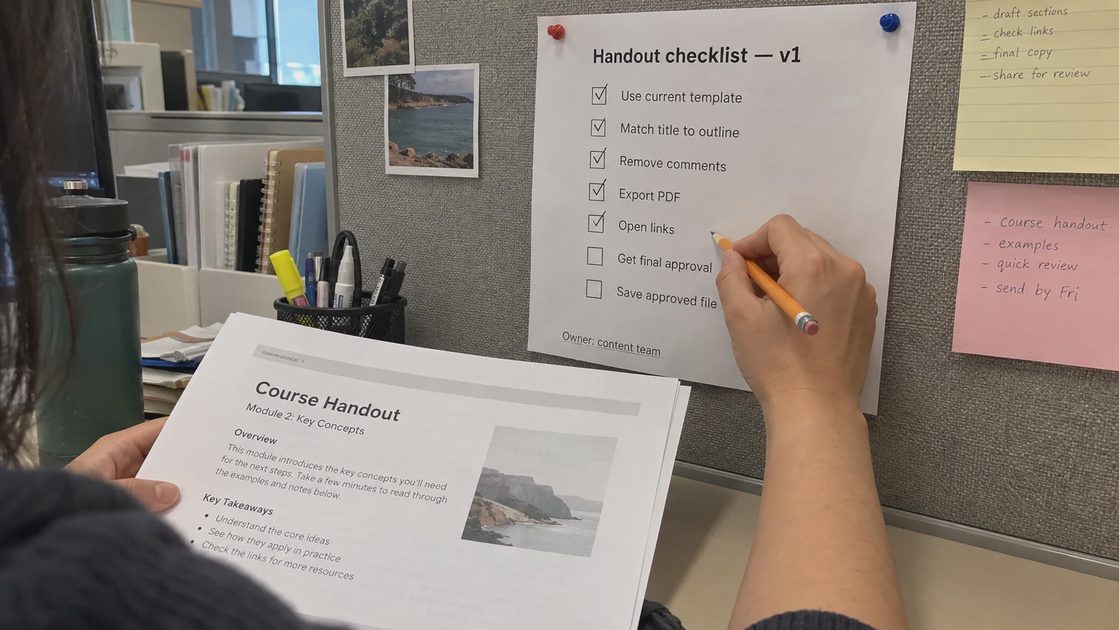
Once verified, store the checklist where the task occurs. A pinned note, a document template, or a printed sheet can be sufficient.
The model is useful during drafting and revision. It does not have to sit inside the final process. That distinction can reduce ongoing cost and make the workflow easier to maintain.
Give the checklist a version or review date if the process changes over time. Identify the person responsible for updating it and what events should trigger a review, such as a new template or a changed approval route.
Avoid accumulating several nearly identical copies in different tools. If people do not know which version is current, a checklist can create the very confusion it was supposed to remove.
When It Is Worth Adding Real Automation
Consider software automation only after the process is stable and the repeated action is clear. For example, a template might create a draft file automatically while a person still checks and approves its content.
Before enabling any action, define what information is transferred, what happens on failure, and how someone can stop or undo the operation. Drafting instructions and executing instructions are different levels of responsibility.
A changing or ambiguous process should usually be clarified first. Automating confusion makes it repeat faster.
When I Would Use This—and When I Would Not
I would use Claude to draft a reusable checklist from actual notes when the task repeats and the steps can be verified. It is especially useful for exposing gaps that informal reminders conceal.
I would not ask a model to invent organizational procedures, treat a draft as approved policy, or enable automatic sending merely because a checklist looks complete.
Choose one repeated task and gather its existing notes. Your first useful result may be three resolved questions and a shorter checklist, rather than a fully automated system.


No letters yet — be the first to write.